LaunchPad
The LaunchPad utility brings together a number of tools that are useful when developing and testing with the Integration Platform. Its use is optional, but without it, you'll find that sometimes you'll need to open several command-line windows and use a variety of commands to manually start and manipulate tools and utilities. LaunchPad aims to simplify that process.
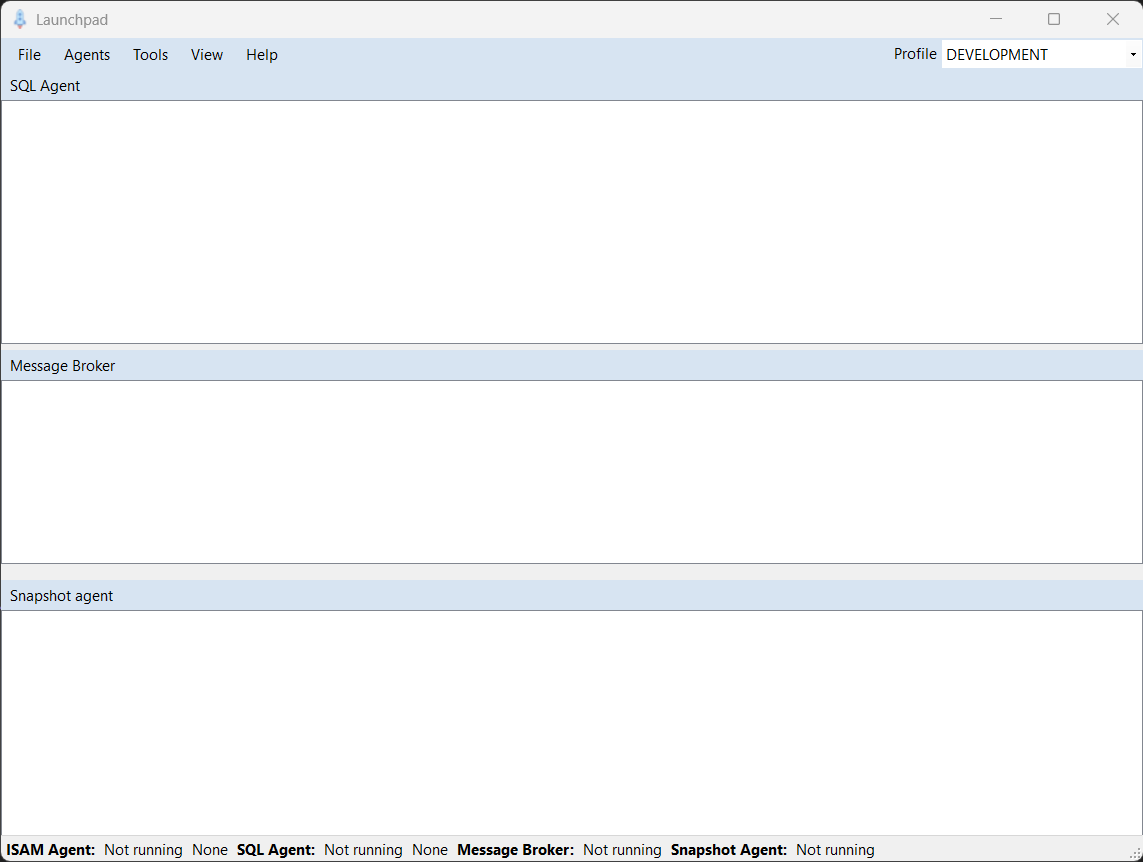
Menu options allow you to launch, control, and interact with various other tools and utilities.
Notice the Profile dropdown in the upper-right corner. This list allows you to select which profile you're currently working with, and in turn, the profile determines all configuration settings used by the other tools and utilities. In the development environment, however, you'll work with the main development profile most of the time.
Agents Menu
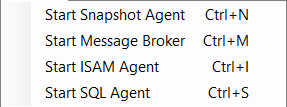
The Agents menu allows you to start and stop the various agents and snapshot broker. When you start these tools in this way they are launched as background processes, and LaunchPad hooks their console log output and displays it in the associated log windows within the main body of the application.
Tools Menu
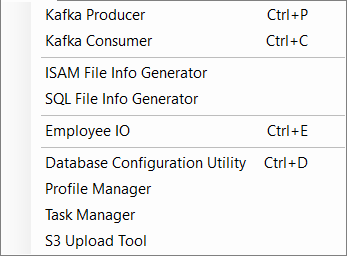
The Tools menu allows you to launch various utility applications that are available for use in the development environment. Some of these tools are graphical and shown in either a modal or non-modal form, while others are command line applications displayed in a console window.
View Menu
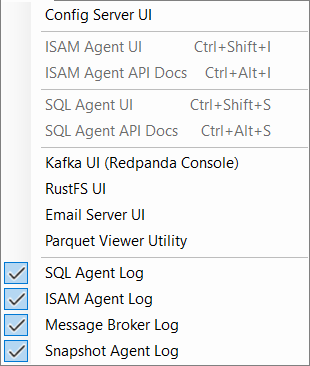
The View menu contains several options that allow you to either open several tools, if configured and/or available, and also contains options that, depending on your requirements, allows you to customize which tool logs are displayed in the main body of the application.
When working with the tool log displays you can drag the dividersadjust the log sizes, and within each log a context menu allows you to copy log information to the clipboard, and clear the log.