Database Configuration Utility
Accessible from the LaunchPad Tools menu is the Database Configuration Utility, which can be used to help you create and correctly configure a SQL Server database for use with the SQL Agent.
Before launching the utility, you should check that the various Database Configuration settings have been correctly defined in the SQLAgent region of the MasterConfig.json file of your profile.
When you start the utility for the first time, you should see something like this:
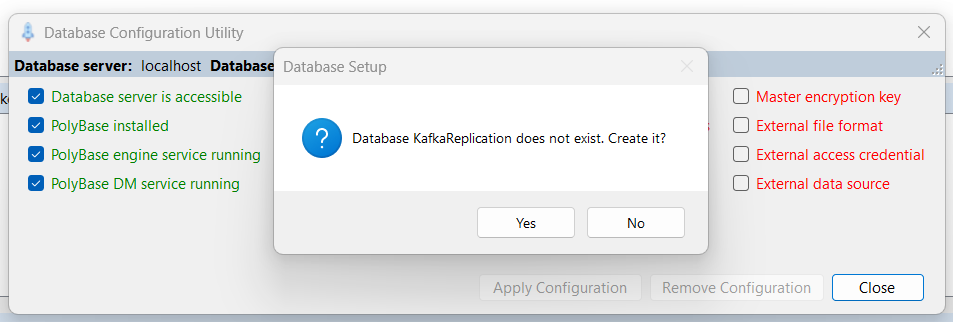
Click Yes to create the database named in your configuration.
Next you're likely to see something like this:
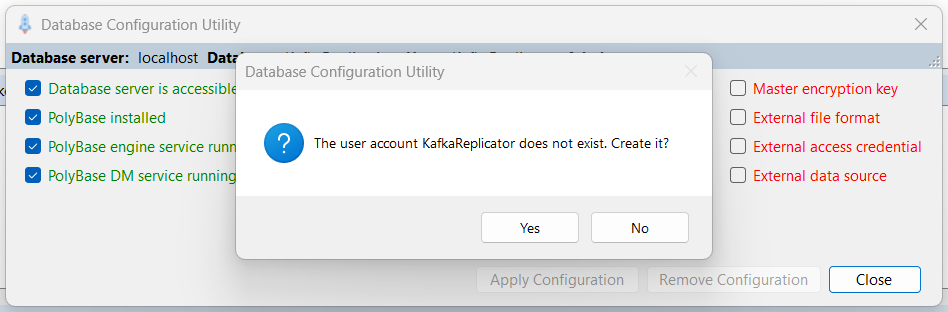
Click Yes to create the database user account named in your configuration.
Then the utility should proceed to verify some other configuration options, and you'll see something like this:
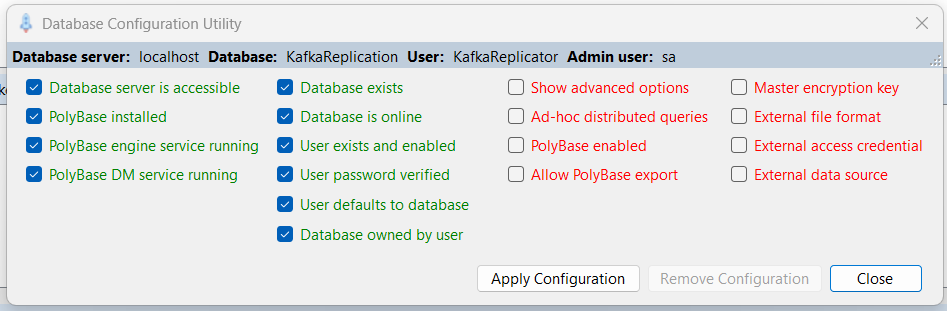
At this point the basic database and user account exist, and the utility needs to set several other configuration options in the database. Click Apply Configuration to allow it to continue.
If all goes well, you should finally see this:
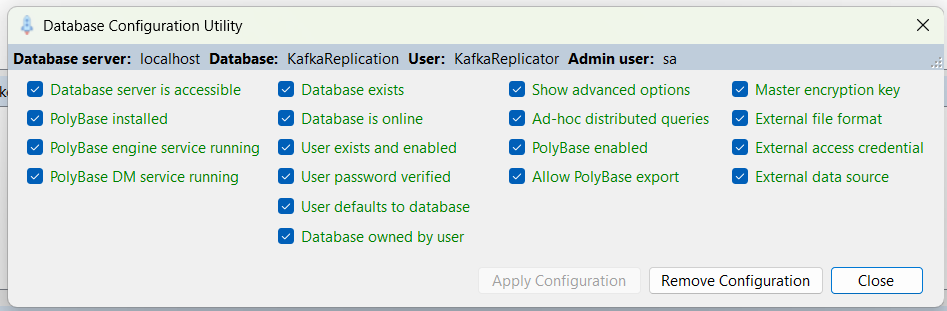
If you do see this, then the SQL Server database is fully configured and ready to be used by the SQL Agent.
Click Close to close the utility.